
An FAQ page is often one of the most visited pages on a site, and one of the least loved by the people who write it. When you write an FAQ page well, it answers objections before they become support tickets, gives search engines clear answers to match against queries, and quietly lifts conversions. This guide covers the whole process, from finding the questions to keeping the page current.
If you only need a short FAQ section on an existing page, our guide to creating an FAQ section in WordPress is the quicker read.
Why write an FAQ page at all?
A dedicated FAQ page earns its place when people ask the same questions again and again across many pages: shipping, billing, accounts, compatibility. One well-organised page is easier to maintain than copies of the same answers everywhere, and it gives you a single URL to link to from emails, checkouts and support replies.
Step 1: Find the questions people really ask
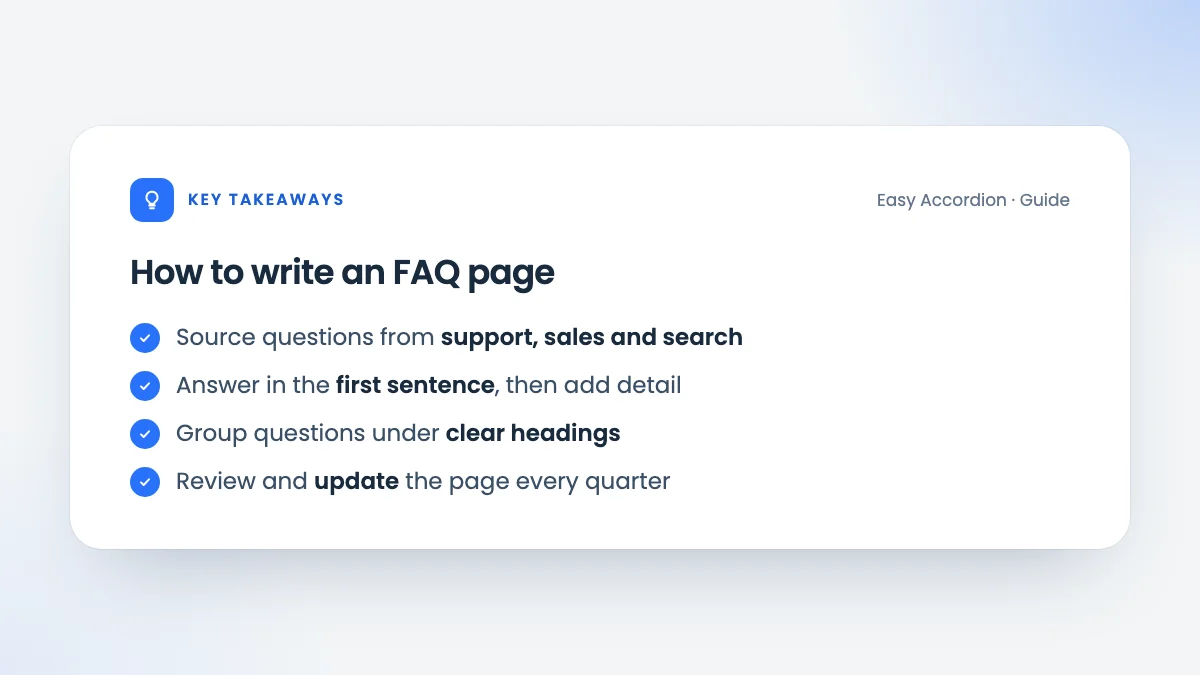
Guessing produces marketing questions nobody asks. Use real sources instead:
- Support inbox and live chat. Sort the last few months of tickets by topic and count them.
- Sales calls and demos. Ask your team which questions come up before people buy.
- On-site search. If your site has search, its logs show exactly what people look for.
- Google. Search your main topics and read the “People also ask” box and related searches.
- Reviews and comments, including competitors’ reviews: they reveal worries people don’t always voice.
Write each question in the customer’s words and keep a count of how often it appears. The count tells you what goes first.
Step 2: Write answers that work on their own
People land on FAQ answers from search, from a link in an email, or by opening one item in an accordion. Each answer must make sense without the others.
- Lead with the answer. “Yes, you can return any item within 30 days.” Not “Our returns policy is designed to…”.
- Add the conditions that matter: how, when, any limits or costs.
- Keep it short. Two to four sentences for most answers. Use a list for steps.
- Link to the detail when there is a full page, such as your refund policy or documentation.
Tip: Read each answer aloud. If it sounds like a contract, rewrite it in plain language and link to the contract.
Step 3: Structure the page so people can scan it
A long, flat list is hard to use. Give the page a structure:
- Group questions under headings such as Orders, Shipping, Payments and Accounts.
- Order by importance within each group, using the counts from Step 1.
- Use an accordion so every question is visible but answers stay folded until needed.
- Add search once the page grows past twenty or so questions.
With the free Easy Accordion Block plugin, each group can be its own accordion under an H2, with questions as H3 headings. Pro adds instant search and Load more for very long pages.
Step 4: Help search engines understand the page
Search engines read FAQ content like any other text, including content inside closed accordion panels, as we explained in does Google index accordion content. A few details help them match your answers to queries:
- Use the question as the heading of each item, phrased the way people search.
- Put the direct answer in the first sentence below it.
- Choose correct heading levels: H2 for groups, H3 for questions.
- Add FAQ schema if you want to describe the questions explicitly. See FAQ schema in WordPress.
Step 5: Link the FAQ where questions arise
An FAQ page only helps if people find it. Link to the relevant group, or even the exact question, from:
- The pricing table and checkout page
- Order confirmation and shipping emails
- Product pages, next to the details people ask about
- Your contact page, before the form
Write an FAQ page people trust: tone and style
| Do | Avoid |
|---|---|
| Plain, friendly language | Legal or technical jargon |
| “You” and “we” | Passive, impersonal phrasing |
| Specific numbers and dates | “Shortly”, “soon”, “in some cases” |
| One question per item | Two questions in one heading |
| Honest limits | Answers that dodge the question |
Step 6: Keep it current
Set a reminder to review the page every three months, and after every change to prices, policies or features. Remove questions nobody asks any more, merge duplicates and add new ones from recent tickets. A dated FAQ with wrong answers does more harm than no FAQ at all.
Frequently asked questions
How long should an FAQ page be?
As long as the real questions require, but grouped and scannable. Many sites need between ten and forty questions. Beyond that, add search and split the page into clear groups.
Should I put prices on the FAQ page?
Mention them if people ask, but keep the main pricing on your pricing page and link to it. Prices change, and one source of truth is easier to keep correct.
Can an FAQ page rank in Google?
Yes. FAQ pages often rank for long, question-style searches when the answers are clear and specific. The page still needs useful content and links from the rest of your site.


Leave a Reply
You must be logged in to post a comment.