
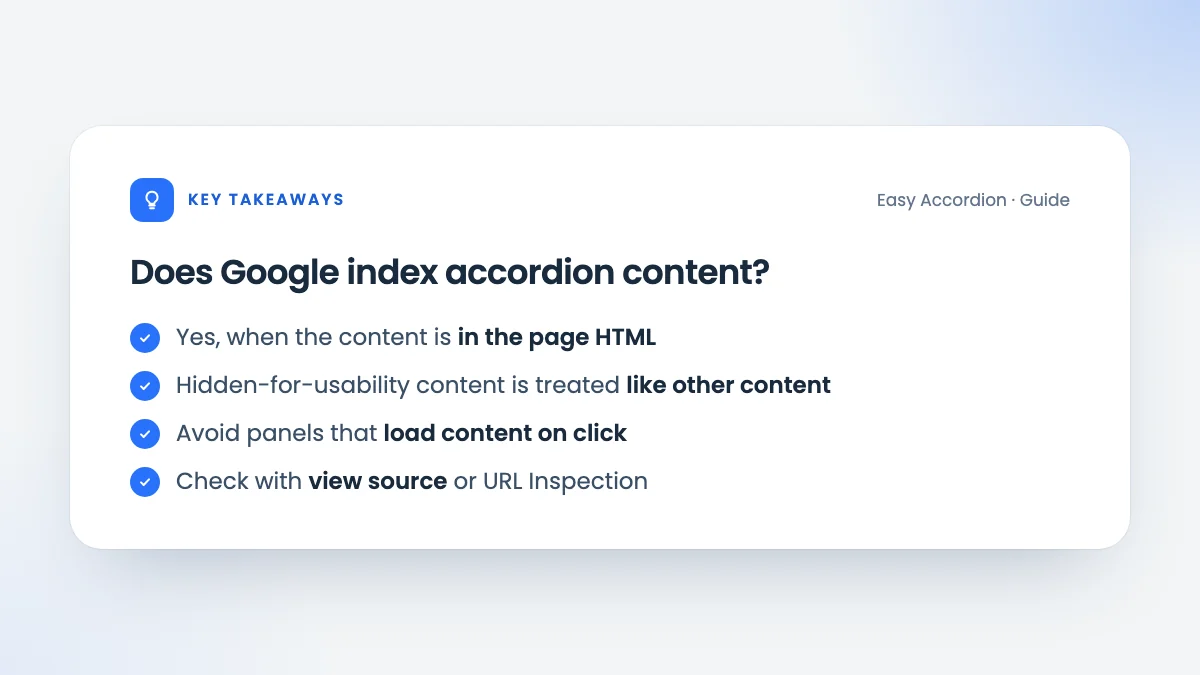
Short answer: yes, Google indexes accordion content, as long as that content is part of the page’s HTML when it loads. The longer answer explains why, what can still go wrong, and how to check your own pages.
Why the question comes up
Years ago, SEO advice warned that hidden text might be ignored or even penalised. The worry was about tricks: white text on a white background, or keyword lists hidden off screen. Accordions and tabs hide content too, so people wondered whether they were risky.
The difference is intent. An accordion hides content to make a page easier to use, and visitors can open it with one click. That is a normal interface pattern, not a trick.
What Google has said
With mobile-first indexing, Google uses the mobile version of a page for indexing and ranking. On phones, collapsing content is often the best experience, and Google has said that content hidden in accordions or tabs for usability reasons is treated like any other content on the page.
In practice, this means:
- Text in a closed accordion panel can be indexed and can rank.
- Headings inside accordion items still describe the structure of the page.
- Links inside panels are followed like other links.
When accordion content may not be indexed
The pattern itself is not the problem. These implementations can be:
- Content loaded on click. If a panel fetches its content with JavaScript only when opened, it is not in the initial HTML, and may not be seen.
- Content that requires a login or interaction beyond a simple click.
- Answers stored as images, with no text alternative.
- Blocked scripts or styles in robots.txt, which can stop Google rendering the page properly.
Easy Accordion Block renders every panel’s content in the page HTML. The panels are hidden with CSS and opened by a small script, and the content stays readable even when JavaScript is unavailable.
How to check your own pages
- View the page source (not the inspector) and search for a sentence from a closed panel. If it is there, it is in the HTML.
- Use the URL Inspection tool in Google Search Console and view the crawled page to see the HTML Google rendered.
- Search Google for a distinctive sentence from a panel in quotes, together with
site:yourdomain.com.
Best practices for SEO-friendly accordion content
| Practice | Why it helps |
|---|---|
| Put real text in panels, not images of text | Text can be indexed and read aloud |
| Use descriptive headers | Headers summarise the page’s topics |
| Choose the right heading tag | Keeps the outline logical |
| Keep important content visible | Your main message should not need a click |
| Avoid loading panels on demand | Content in the HTML is easier to index |
That last point deserves emphasis: accordions are perfect for supporting detail, such as FAQs, specifications and steps. Your main value proposition and key information should still be visible without a click.
Does FAQ schema help?
FAQ schema describes questions and answers explicitly, but it is not required for indexing. Google indexes accordion content with or without it. If you want to add it, see FAQ schema in WordPress.
Hidden content myths
“Hidden text is always penalised.” Penalties target deception, such as text visitors can never see. Content in an accordion is one click away and serves the visitor.
“Content must be visible to rank.” With mobile-first indexing, collapsible content is a normal part of mobile design and is treated accordingly.
“Accordions dilute keywords.” Headers in an accordion are visible text, and the panels are part of the page. Splitting a long page into clear sections usually makes its topics easier to understand, not harder.
Accordions and page experience
Accordions can help page experience as well as readability:
- Shorter pages mean less scrolling on phones.
- Less layout shift: content that opens on request doesn’t push the rest of the page around while it loads, as late-loading banners do.
- Light scripts: a well-built accordion needs very little JavaScript. Easy Accordion Block loads its script and styles only on pages that contain an accordion.
Just make sure an item opened on load doesn’t cause a jump when the page finishes loading. Rendering it open in the HTML, rather than opening it with a script after load, avoids that.
Frequently asked questions
Do accordions hurt SEO?
Not when the content is in the HTML and the accordion serves visitors. Problems come from content loaded on demand or hidden purely to stuff keywords.
Is content in tabs treated the same way?
Yes. The same principle applies to tabs, accordions and other expandable sections that are part of the page HTML.
Should I open all accordion items for SEO?
No. Open the items that help visitors, such as the most common question. Search engines can read the closed items too.

Leave a Reply
You must be logged in to post a comment.