FAQ schema is a small piece of structured data that tells search engines “this page contains questions and answers”. Adding FAQ schema in WordPress used to mean writing JSON-LD by hand. Today it can be a single switch. This guide explains what FAQ schema does, what changed in Google’s results, and how to add and test it properly.
If you do not have an FAQ yet, read how to create an FAQ section in WordPress first.
What is FAQ schema?
FAQ schema uses the FAQPage type from Schema.org. It lists each question and its accepted answer in a format machines can read. Most sites add it as JSON-LD, a script in the page that visitors never see:
{
  "@context": "https://schema.org",
  "@type": "FAQPage",
  "mainEntity": [{
    "@type": "Question",
    "name": "Can I return an item?",
    "acceptedAnswer": {
      "@type": "Answer",
      "text": "Yes, within 30 days."
    }
  }]
}
The questions and answers in the markup must match what is visible on the page. Marking up content that visitors cannot see goes against Google’s guidelines.
Does FAQ schema still matter?
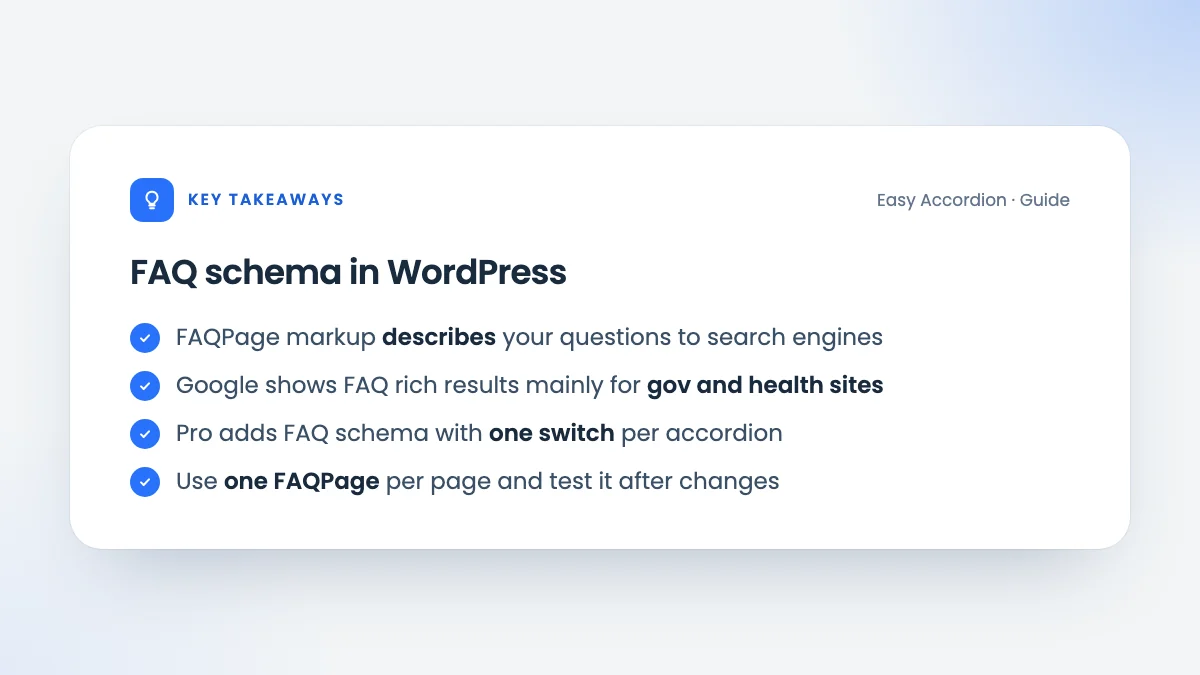
In August 2023 Google limited FAQ rich results, the expandable questions under a search result, mainly to well-known, authoritative government and health websites. Most sites no longer see them in Google.
That does not make the markup useless:
- It is still valid structured data that describes your content precisely.
- Other search engines and AI assistants can use it to understand your questions and answers.
- It costs nothing when it is generated automatically from content you already have.
So treat FAQ schema as a clear description of your content, not as a guaranteed visual boost.
How to add FAQ schema in WordPress without code
With Easy Accordion Block Pro, the schema is built from the accordion you already have:
- Select your FAQ Accordion block.
- Open the SEO / FAQ Schema panel in the sidebar.
- Turn on Enable FAQ schema.
- Update the page.
Each item title becomes a question and the content of its panel becomes the answer. All accordions with the switch on are combined into one FAQPage on the page, items with an empty title are skipped, and the same question is only counted once. Because the schema is generated while the page is displayed, you can switch it on or off at any time without editing your content.
Prefer a dedicated FAQ layout? The Pro FAQs block outputs FAQ schema automatically for every completed question and answer. See it on the schema markup demo.
Avoid duplicate FAQ schema
A page should carry a single FAQPage. Duplicates can confuse search engines, so check what else adds schema:
- SEO plugins: if your SEO plugin also builds FAQ schema for the same questions, keep only one source.
- FAQ blocks from other plugins: do not mark up the same questions twice on one page.
Easy Accordion Block includes a filter to switch its output off when another tool handles it. The documentation shows the one-line snippet.
How to test your FAQ schema
- Open Google’s Rich Results Test and paste the page URL.
- You should see one FAQ item listing your questions. Warnings about optional fields are fine; errors need fixing.
- For a second opinion, use the Schema Markup Validator.
You can also view the page source and search for FAQPage. If the page is not public yet, paste its HTML into the tool’s code tab.
FAQ schema best practices
| Do | Don’t |
|---|---|
| Mark up questions visible on the page | Mark up hidden or unrelated questions |
| Use one FAQPage per page | Add FAQ schema from two tools at once |
| Write complete answers | Answer with “See our terms” only |
| Keep questions specific to the page | Repeat the same FAQ on every page |
| Test after every change | Assume it works without checking |
What makes good FAQ content for schema
Structured data can only describe what is on the page, so the content itself must be right:
- One question, one answer. FAQPage is for questions you answer yourself. If visitors submit answers, as on a forum, the QAPage type fits better.
- Real questions. Don’t turn marketing headlines into questions just to get markup.
- Complete answers in text. Answers can include links and lists, but the main answer should be text.
- Visible content. Every question in the schema must also be on the page. Closed accordion panels count, because visitors can open them.
FAQ schema vs other schema types
| Type | Use it for |
|---|---|
| FAQPage | A list of questions with answers written by you |
| QAPage | One question with answers from users, such as forum threads |
| HowTo | Step-by-step instructions (Google no longer shows HowTo rich results, but the type remains valid) |
| Article | The page itself, usually added by your SEO plugin |
These types can live on the same page. An SEO plugin typically adds Article or WebPage data, while your accordion adds the FAQPage.
Frequently asked questions
Is FAQ schema free in Easy Accordion Block?
FAQ schema is a Pro feature. The free plugin builds the accordion; Pro adds the FAQ schema switch, the FAQs block and deep links.
Will FAQ schema get my page a rich result?
Not necessarily. Since 2023 Google shows FAQ rich results mainly for authoritative government and health sites. The markup is still valid and still describes your content to search engines.
Can I use FAQ schema on several pages?
Yes, as long as each page has its own relevant questions. Avoid repeating the same FAQ, with the same markup, across many pages.